マトリックス風デジタルレイン ジェネレーター
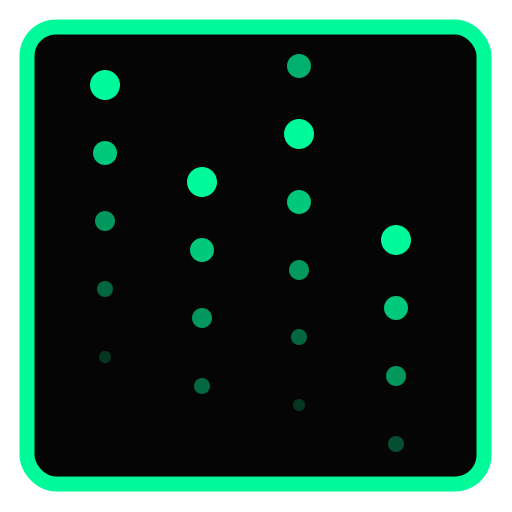
CSSとJavaScriptで、映画「マトリックス」のように上から下へとグリーンのコード文字が流れ落ちるデジタルレイン背景エフェクトを生成します。
プレビュー
<!-- デジタルレインを描画するCanvas要素 -->
<canvas class="matrix-canvas"></canvas>/* Canvasを親コンテナ全体にフィットさせるスタイル */
.matrix-canvas {
display: block;
width: 100%;
height: 350px;
background-color: #000000;
}(() => {
// Canvas要素の取得とコンテキストの初期化
const canvas = document.querySelector('.matrix-canvas');
if (!canvas) return;
const ctx = canvas.getContext('2d');
// 高解像度対応とサイズ調整
const resizeCanvas = () => {
canvas.width = canvas.offsetWidth;
canvas.height = canvas.offsetHeight;
};
resizeCanvas();
// 選択された複数の文字タイプを結合して文字セットを定義
let alphabet = '';
if ('{{use_katakana}}' === 'true') {
alphabet += 'アイウエオカキクケコサシスセソタチツテトナニヌネノハヒフヘホマミムメモヤユヨラリルレロワン';
}
if ('{{use_alphabet}}' === 'true') {
alphabet += 'ABCDEFGHIJKLMNOPQRSTUVWXYZabcdefghijklmnopqrstuvwxyz';
}
if ('{{use_number}}' === 'true') {
alphabet += '0123456789';
}
if ('{{use_kanji}}' === 'true') {
alphabet += '影虚無混沌幽霊死生殺滅暗黒深淵天帝神極覇龍魔王獄零界毒怨呪壊乱骸魄魄';
}
// 何も選択されていない場合のフォールバック
if (!alphabet) {
alphabet = 'アイウエオカキクケコサシスセソタチツテトナニヌネノハヒフヘホマミムメモヤユヨラリルレロワン';
}
const letters = alphabet.split('');
// 列幅と描画列数の算出
const fontSize = {{font_size}};
let columns = Math.floor(canvas.width / fontSize);
// 各列の現在の落下Y座標を保持する配列
let rainDrops = [];
const initDrops = () => {
columns = Math.floor(canvas.width / fontSize);
// 初期Y座標をランダムにばらつかせることで、開始時の一斉落下を回避
rainDrops = Array.from({ length: columns }, () => {
return Math.floor(Math.random() * -(canvas.height / fontSize));
});
};
initDrops();
// 画面リサイズ時に再計算
window.addEventListener('resize', () => {
resizeCanvas();
initDrops();
});
// 描画処理関数
const draw = () => {
// 半透明の黒で塗りつぶすことで、文字の残像効果(テール)を表現
ctx.fillStyle = 'rgba(0, 0, 0, 0.05)';
ctx.fillRect(0, 0, canvas.width, canvas.height);
// 文字描画用のスタイル設定
ctx.fillStyle = '{{color}}';
ctx.font = `${fontSize}px monospace`;
// 各縦列ごとに文字を1個描画して下にずらす
for (let i = 0; i < rainDrops.length; i++) {
const text = letters[Math.floor(Math.random() * letters.length)];
const x = i * fontSize;
const y = rainDrops[i] * fontSize;
ctx.fillText(text, x, y);
// 画面下部に達したか、一定のランダム確率を満たした場合は最上部に戻す
if (y > canvas.height && Math.random() > (1 - ({{density_percent}} / 100))) {
rainDrops[i] = 0;
}
rainDrops[i]++;
}
};
// 落下速度(更新レート)の設定とループの実行
const fps = {{speed}};
const interval = 1000 / fps;
let lastTime = 0;
const animate = (timestamp) => {
if (!lastTime) lastTime = timestamp;
const elapsed = timestamp - lastTime;
if (elapsed > interval) {
draw();
lastTime = timestamp - (elapsed % interval);
}
requestAnimationFrame(animate);
};
requestAnimationFrame(animate);
})();機能、使い方
- HTML5
canvasを使用して、超高速かつ滑らかな描画パフォーマンスでマトリックスコードを表現します。 - 文字サイズ(フォントサイズ)、速度(1秒あたりの描画回数)、および描画色を自由に変更可能です。
- 落下軌跡のテール(残像効果)は、毎フレームごとに半透明のブラック(
rgba(0, 0, 0, 0.05))を上書きして塗り重ねることで表現しています。 - リサイズイベントに対応しており、コンテナ要素の大きさが変わっても列数が自動的に再配置・再計算されます。
コードの説明
getContext('2d')を使用して、Canvas APIによる描画操作を行っています。
requestAnimationFrameによる高精度なループアニメーションを使用し、指定したFPS間隔(落下速度)に調節して文字描画を処理しています。
半透明の塗りつぶし(fillRect)によって古いフレームを少しずつ隠し、文字がゆっくり消えながら落下するリアルな流れを再現しています。